
-
×
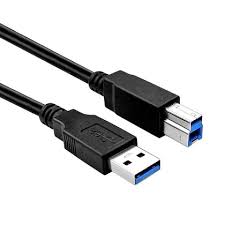 usb 3.0 to printer orginal
1 × 50,00 EGP
usb 3.0 to printer orginal
1 × 50,00 EGP
Subtotal: 50,00 EGP
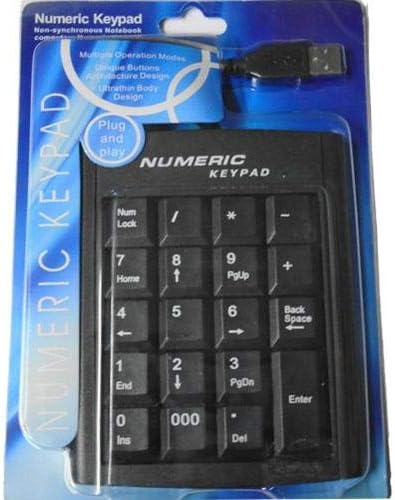
5 in stock
| Brand Name | Numeric |
| Connectivity Technology | USB |
| Keyboard Description | Gaming |
| Color | Black |
| Style | Modern |
| Included Components | USB Cable |
| Hand Orientation | Ambidextrous |
120,00 EGP
5 in stock
Compare| Weight | 0,00 kg |
|---|
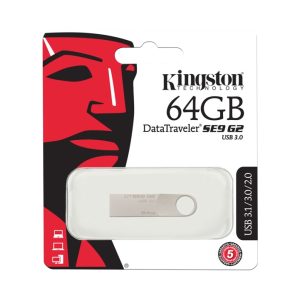
Brand Kingston
Product Dimensions 3.9 x 1 x 0.1 cm; 5 g
Item model number DTSE9G3/64GB
Manufacturer Kingston
Series DataTraveler SE9
Colour Gold
Are Batteries Included No
Item Weight 5 g
Guaranteed software updates until unknown
Aptech S18 Laptop Stand Adjustable 4 Silent Fans ABS Control Fan Speed Notebook Holder Cooling Pad for Notebook, he holder is non-slip while protecting your computer from being bumped due to the use of silicone handle. The sitting posture can be improved and the comfortable angle can be adjusted as it has 4 levels of free height adjustment. It is equipped with 4 cooling fans, which prevents the laptop from crashing due to overheating. The upper surface is covered with meshing metal, and the bottom and sides are ABS, which is sturdy and long lasting. The length of this product is 39cm, the width is 28cm and the height is 2.9cm. This gaming laptop cooling pad can accommodate laptops up to 17.3 inches.

USB to RJ45 Adapter: Converts a USB connection to an RJ45 (Ethernet) connection. This allows you to extend USB devices over a network cable.
30 Meter Length: Provides a significant length (30 meters or approximately 98 feet), allowing for substantial distance between the USB device and the computer or network hub.
Color: Black.
Compatibility: Can be used with various USB devices such as cameras, printers, gamepads, keyboards, and mice. It extends the reach of these devices beyond the usual USB cable limitations.
Extending USB Device Reach: Ideal for situations where USB devices need to be located far from the computer or hub. For example, you might use it to connect a USB camera or printer that is positioned far from your workstation.
Network Extension: The RJ45 connection enables the extension of USB devices over Ethernet networks, which can be useful in office or industrial settings.
Game Consoles and Accessories: Useful for extending USB gamepads or other peripherals in gaming setups.
Office and Home Use: Helps in connecting USB peripherals in setups where the computer is situated far from the peripherals.
Connect the Adapters: Plug the USB end of the cable into the USB device, and then connect the RJ45 end to an RJ45 network cable or Ethernet port.
Ensure Compatibility: Verify that the USB devices you’re connecting are supported by the adapter. Some high-bandwidth devices might experience reduced performance or require specific drivers.
Test the Connection: Check if the USB device is recognized by your system and functions correctly over the extended distance.
Avoid Interference: Use quality Ethernet cables to avoid signal degradation, and ensure connections are secure.

Color: Silver and white
Suitable for travel and business in order to use LAN local network connection in hotel or location without Wi-Fi access
Plug a LAN cable (not included) into the adapter and connect to internet instantly; requires no external power
Connect USB-C port on your MacBook to a RJ-45 port that supports 10 / 100 /1000 mbps high speed
Provides smooth and instant local network connection
Supports high transfer rate with 3 USB ports 3.0
Material: Aluminum alloy
Ports: 3 USB 3.0 Ports or USB 2.0 and 1 RJ45 port
Select at least 2 products
to compare



































There are no reviews yet.