DEVICE STORAGE, SSD
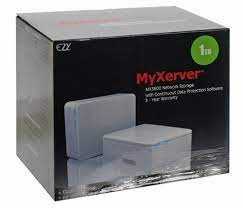
Myxerver Mx3600 Hard Drive Enclousre Rack 3.5 Inch Hdd
Availability:
1 in stock
My Xerver™ MX3600 Network Storage enclosure with hard drive Power Adapter Ethernet Cable Quick Start Guide •Setup CD Rubber Feet (4x)
PC or Mac with internet browser and network access Switch, router or cable modem with one free Ethernet port for MyXerver™ MX3600 Network
Storage
PC users: Windows 2000 / XP / Vista™
Mac users : Mac OSX 10.3 or later
Connect the network cable to the Ethernet port at the rear panel of MX3600. Connect the other end to your
hub or switch.
2.Connect the power adapter to a power outlet, and plug the power cord into MX3600’s power input
at the rear panel.
3.Locate the power button at the rear panel of MX3600. Press it once to power on the NAS.
4. MX3600 will start a bootup process, and the system power LED will blink continuously Boot up time is approximately 1 3 minutes. System Power LED HDD Activity LED System Reset USB Eject Button / USB Copy Button USB 2.0 port to add storage or to connect o to printer Auto sensing 10/100/1000 Base T Ethernet port (Auto MDIX) DC In Power Button4

425,00 EGP
1 in stock
CompareMy Xerver™ MX3600 Network Storage enclosure with hard drive Power Adapter Ethernet Cable Quick Start Guide •Setup CD Rubber Feet (4x)
PC or Mac with internet browser and network access Switch, router or cable modem with one free Ethernet port for MyXerver™ MX3600 Network
Storage
PC users: Windows 2000 / XP / Vista™
Mac users : Mac OSX 10.3 or later
Connect the network cable to the Ethernet port at the rear panel of MX3600. Connect the other end to your
hub or switch.
2.Connect the power adapter to a power outlet, and plug the power cord into MX3600’s power input
at the rear panel.
3.Locate the power button at the rear panel of MX3600. Press it once to power on the NAS.
4. MX3600 will start a bootup process, and the system power LED will blink continuously Boot up time is approximately 1 3 minutes. System Power LED HDD Activity LED System Reset USB Eject Button / USB Copy Button USB 2.0 port to add storage or to connect o to printer Auto sensing 10/100/1000 Base T Ethernet port (Auto MDIX) DC In Power Button4

| Weight | 0,00 kg |
|---|

Cable Matters USB C Multiport Adapter (USB C Hub DisplayPort 1.4), 2X USB 2.0, 480Mbps Ethernet, and 100W Charging in Black - Thunderbolt 4 / USB4 / Thunderbolt 3 Port Compatible with MacBook
Maruson Micro UPS Series 500VA Multifunction LED Indicators
mouse wireless great wall s320
TAP-CHANGE AVR 3000VA
100W Power Adapter AC 110V/120V To 220V/240V Volt Voltage Transformer
24 40-Pin 80 Wire UDMA 66100 IDE 2 Drive Cable FI-U02
Varta AA Rechargeable Batteries 2100mAh (2pcs)
3 Port HDMI Switch UHD 3D 4K 1080p IR Remote HDTV
Optical Coaxial Toslink Digital To Analog Audio Converter Adapter RCA 3.5mm L /R
USB 2.0 Extension Extender Cable Cord Standard Type A Male To A Female M/F Black 1.5 meters
Hard Disk W.D Elements Portable 1 TB
Power Strip FORA 541 4 Eyes With Key - 10 Amps -3 Meters
INGCO SCREW DRIVER SET 8 PCS – HKSD 0828
second hdd caddy 12.7


There are no reviews yet.