Dell OEM PowerEdge T3600 SAS PERC 8 RAID Controller Cable – T3F4V
Overview: The Dell OEM PowerEdge T3600 SAS PERC 8 RAID Controller Cable is designed to facilitate high-speed data transfer between the RAID controller and storage drives in a Dell PowerEdge T3600 workstation. This cable is essential for ensuring reliable connectivity and optimal performance of your RAID setup.
Key Features:
- Compatibility: Specifically designed for use with the Dell PowerEdge T3600 workstation and its PERC 8 RAID controller. Ensures proper fit and functionality within this system.
- Cable Type: SAS (Serial Attached SCSI) cable, used for connecting SAS drives to the RAID controller. Supports fast and reliable data transfer.
- Connector Type: Features SAS connectors at both ends to interface with the RAID controller and the SAS drives or backplane. These connectors ensure secure and stable connections.
- Part Number: T3F4V. This unique part number identifies the specific cable model, ensuring compatibility with the PowerEdge T3600 and PERC 8 RAID controller.
Benefits:
- Reliable Performance: Ensures stable and high-speed data transfer between the RAID controller and the connected SAS drives, critical for maintaining system performance and data integrity.
- Efficient Storage Management: Allows the RAID controller to effectively manage multiple SAS drives, supporting various RAID levels for enhanced storage performance and redundancy.
- Ease of Use: Designed for easy installation in the PowerEdge T3600 workstation. The cable is typically plug-and-play, minimizing installation complexity.
Installation Instructions:
- Power Down: Turn off the workstation and disconnect it from the power source to ensure safety.
- Locate Components: Open the workstation chassis and locate the PERC 8 RAID controller and the SAS drives or backplane.
- Connect Cable: Attach one end of the SAS cable to the RAID controller and the other end to the SAS drives or backplane. Ensure that the connectors are securely seated.
- Cable Management: Route the cable to avoid interference with other components and ensure it is neatly organized within the chassis.
- Reassemble and Power On: Close the workstation chassis, reconnect the power, and turn on the system. Verify that the RAID controller detects the connected drives and they are functioning correctly.

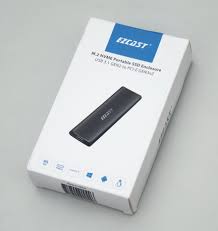 Ezcast M.2 NVMe Portable SSD Enclosure
1 × 600,00 EGP
Ezcast M.2 NVMe Portable SSD Enclosure
1 × 600,00 EGP 







































There are no reviews yet.