Recommended Products
Shop
Showing 2209–2222 of 2222 results
-
CABLE, Networking
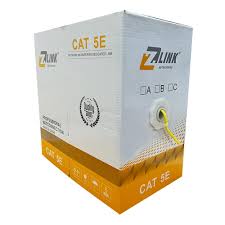
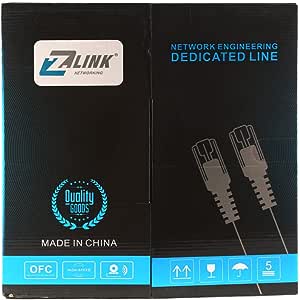
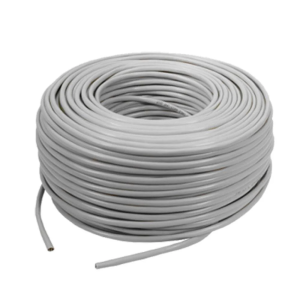
Zlink Network Cable 305 meters Cat5 UTP – Yellow

- 305M
- CAT5E SOLID UTP Cable CAT5 Wire Network Lan Ethernet RJ45 Blue 24AWG
- 4 unshielded twisted pair (UTP)
- Material: CCA
- Transmission speeds of up to 1 gigabit per second (Gigabit Ethernet)
- Meets or exceeds Category 5e specifications
- 24 AWG Copper Clad Aluminum
- Gigabit Network Ready
- Cable is 1000 Ft (305m) long
SKU: 3055843000 -
Accessories, EXTENDER
Zonic Z1054 USB to RJ45 Adapter Extension Cable RJ45 Adapter Set Extender Network Adapter for USB Cameras Printers Gamepad Keyboard Mouse Extensions and more 30M – Black
Accessories, EXTENDERZonic Z1054 USB to RJ45 Adapter Extension Cable RJ45 Adapter Set Extender Network Adapter for USB Cameras Printers Gamepad Keyboard Mouse Extensions and more 30M – Black
-
Features:
-
USB to RJ45 Adapter: Converts a USB connection to an RJ45 (Ethernet) connection. This allows you to extend USB devices over a network cable.
-
30 Meter Length: Provides a significant length (30 meters or approximately 98 feet), allowing for substantial distance between the USB device and the computer or network hub.
-
Color: Black.
-
Compatibility: Can be used with various USB devices such as cameras, printers, gamepads, keyboards, and mice. It extends the reach of these devices beyond the usual USB cable limitations.
Common Uses:
-
Extending USB Device Reach: Ideal for situations where USB devices need to be located far from the computer or hub. For example, you might use it to connect a USB camera or printer that is positioned far from your workstation.
-
Network Extension: The RJ45 connection enables the extension of USB devices over Ethernet networks, which can be useful in office or industrial settings.
-
Game Consoles and Accessories: Useful for extending USB gamepads or other peripherals in gaming setups.
-
Office and Home Use: Helps in connecting USB peripherals in setups where the computer is situated far from the peripherals.
Setup Tips:
-
Connect the Adapters: Plug the USB end of the cable into the USB device, and then connect the RJ45 end to an RJ45 network cable or Ethernet port.
-
Ensure Compatibility: Verify that the USB devices you’re connecting are supported by the adapter. Some high-bandwidth devices might experience reduced performance or require specific drivers.
-
Test the Connection: Check if the USB device is recognized by your system and functions correctly over the extended distance.
-
Avoid Interference: Use quality Ethernet cables to avoid signal degradation, and ensure connections are secure.
-
SKU: 6223011415302 -

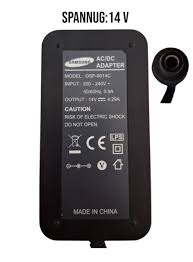
Samsung AC/DC Adapter DSP-6014C 14.0V 4.29A 14V Power Supply C8 PSU
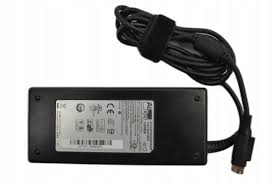
Adapter ACBel 19V 6.32A 120W 4-Pin AD7042