Skip to navigation Skip to content
  • Welcome to AlasadStore
Alasad Store
  • Accessories
    • keyboard & Mouse
      • keyboard
      • Mouse
      • HEADSET
      • Gaming
      • PAD MOUSE
      • SPEAKERS
      • WEBCAM
    • Cables
      • HDMI
      • DISPLAY PORT
      • VGA & DVI
      • TYPE C
      • USB 3.0
      • USB 2.0
      • HDMI
      • OTG
      • AUDIO
      • AV / VIDEO
      • POWER
      • NETWORK
      • DATA
      • OTHER
    • CONNECTORE
      • HDMI
        • PRINTER
      • DISPLAY PORT
      • VGA
      • TYPE C
      • USB 3.0
      • USB 2.0
      • PRINTER
      • OTG
      • AUDIO
      • AV / VIDEO
      • POWER
      • NETWORK
      • DATA
      • OTHER
    • CONVERTER
      • HDMI
      • DISPLAY PORT
      • VGA & DVI
      • TYPE C
      • USB 3.0
      • USB 2.0
      • PRINTER
      • OTG
      • AUDIO
      • AV / VEDIO
      • POWER
      • NETWORK
      • DATA
      • OTHER
    • PC COOLING
    • LED STRIP
    • AUX
    • MIC
    • Play Station Accessories
    • DVD – CD
    • Digital Games
    • Card
    • BAGS
  • DEVICE STORAGE
    • External Hard
    • Internal Hard
    • SSD
    • M2
    • Flash Disk
  • NETWORKING
    • Routers
    • Access Point
    • WiFi
    • Cable Network
    • Switch
    • Networking Tools
  • POWER SOLUTIONS
    • POWER SUPPLY
    • BATTERY
    • POWER STRIP
    • CABLE
    • UPS
    • CHARGER & ADAPTER
  • TOOLS
    • REPAIR TOOLS
    • HAND TOOLS
    • POWER TOOLS
    • AIR TOOLS
    • Measuring and testing equipment
  • HOME TECHNOLOGY
    • TV Wall Mount
    • telephone
    • Tv
    • Radio
    • LED HEADLIGHTS, SOLAR ENERGY
  • USB
    • TYPE A
    • TYPE B
    • TYPE C
  • SECURITY & SURVEILLANCE SYSTEMS
    • Security Cameras
    • Surveillance DVR & NVR Recorders
    • Security Systems Parts & Accessories
  • Battery and charger
    • Battery
    • charger
×
0 0,00 EGP
  • No products in the cart.

All Departments" menu
  • Accessories
    • keyboard & Mouse
      • keyboard
      • Mouse
      • HEADSET
      • Gaming
      • PAD MOUSE
      • SPEAKERS
      • WEBCAM
    • Cables
      • HDMI
      • DISPLAY PORT
      • VGA & DVI
      • TYPE C
      • USB 3.0
      • USB 2.0
      • HDMI
      • OTG
      • AUDIO
      • AV / VIDEO
      • POWER
      • NETWORK
      • DATA
      • OTHER
    • CONNECTORE
      • HDMI
        • PRINTER
      • DISPLAY PORT
      • VGA
      • TYPE C
      • USB 3.0
      • USB 2.0
      • PRINTER
      • OTG
      • AUDIO
      • AV / VIDEO
      • POWER
      • NETWORK
      • DATA
      • OTHER
    • CONVERTER
      • HDMI
      • DISPLAY PORT
      • VGA & DVI
      • TYPE C
      • USB 3.0
      • USB 2.0
      • PRINTER
      • OTG
      • AUDIO
      • AV / VEDIO
      • POWER
      • NETWORK
      • DATA
      • OTHER
    • PC COOLING
    • LED STRIP
    • AUX
    • MIC
    • Play Station Accessories
    • DVD – CD
    • Digital Games
    • Card
    • BAGS
  • DEVICE STORAGE
    • External Hard
    • Internal Hard
    • SSD
    • M2
    • Flash Disk
  • NETWORKING
    • Routers
    • Access Point
    • WiFi
    • Cable Network
    • Switch
    • Networking Tools
  • POWER SOLUTIONS
    • POWER SUPPLY
    • BATTERY
    • POWER STRIP
    • CABLE
    • UPS
    • CHARGER & ADAPTER
  • TOOLS
    • REPAIR TOOLS
    • HAND TOOLS
    • POWER TOOLS
    • AIR TOOLS
    • Measuring and testing equipment
  • HOME TECHNOLOGY
    • TV Wall Mount
    • telephone
    • Tv
    • Radio
    • LED HEADLIGHTS, SOLAR ENERGY
  • USB
    • TYPE A
    • TYPE B
    • TYPE C
  • SECURITY & SURVEILLANCE SYSTEMS
    • Security Cameras
    • Surveillance DVR & NVR Recorders
    • Security Systems Parts & Accessories
  • Battery and charger
    • Battery
    • charger
  • Brands
    • akai
    • a4tech
    • anycast
    • aula
    • benq
    • camelion
    • curcial
    • d link
    • domsem
    • energizer
    • fsp
    • genius
    • gigamax
    • gp batteries
    • hp
    • ingco
    • jbl
    • kingston
    • kisonli
    • kstar
    • lenovo
    • logitech
    • maruson
    • maxell
    • microsoft
    • mirascreen
    • mxq
    • onikuma
    • philips
    • panasonic
    • Premium Line
    • redragon
    • renata
    • sony
    • t-dagger
    • toshiba
    • tp-link
    • varta
    • vinnic
    • western digital
    • zero
    • JAKEMY
    • Pro’sKit
    • North Bayou
    • Total
    • FORA
  • CABLE
    • HDMI
    • DISPLAY PORT
    • VGA & DVI
    • TYPE C
    • USB 3.0
    • USB 2.0
    • PRINTER
    • OTG
    • AUDIO
    • AV / VIDEO
    • POWER
    • NETWORK
    • DATA
    • OTHER
  • CONNECTORE
    • HDMI
    • DISPLAY PORT
    • VGA & DVI
    • TYPE C
    • USB 3.0
    • USB 2.0
    • PRINTER
    • OTG
    • AUDIO
    • AV / VIDEO
    • POWER
    • NETWORK
    • DATA
    • OTHER
  • CONVERTER
    • HDMI
    • DISPLAY PORT
    • VGA & DVI
    • TYPE C
    • USB 3.0
    • USB 2.0
    • PRINTER
    • OTG
    • AUDIO
    • AV / VIDEO
    • POWER
    • NETWORK
    • DATA
    • OTHER
  • TOOLS
    • AIR TOOLS
    • HAND TOOLS
    • NETWORKING TOOLS
    • POWER TOOLS
    • REPAIR TOOLS
    • Measuring and testing equipment
  • Battery and charger
    • BATTERY AND CHARGER
    • Battery
    • charger
  • Accessories
    • keyboard & Mouse
      • keyboard
      • Mouse
      • HEADSET
      • Gaming
      • PAD MOUSE
      • SPEAKERS
      • WEBCAM
    • Cables
      • HDMI
      • DISPLAY PORT
      • VGA & DVI
      • TYPE C
      • USB 3.0
      • USB 2.0
      • HDMI
      • OTG
      • AUDIO
      • AV / VIDEO
      • POWER
      • NETWORK
      • DATA
      • OTHER
    • CONNECTORE
      • HDMI
        • PRINTER
      • DISPLAY PORT
      • VGA
      • TYPE C
      • USB 3.0
      • USB 2.0
      • PRINTER
      • OTG
      • AUDIO
      • AV / VIDEO
      • POWER
      • NETWORK
      • DATA
      • OTHER
    • CONVERTER
      • HDMI
      • DISPLAY PORT
      • VGA & DVI
      • TYPE C
      • USB 3.0
      • USB 2.0
      • PRINTER
      • OTG
      • AUDIO
      • AV / VEDIO
      • POWER
      • NETWORK
      • DATA
      • OTHER
    • PC COOLING
    • LED STRIP
    • AUX
    • MIC
    • Play Station Accessories
    • DVD – CD
    • Digital Games
    • Card
    • BAGS
  • DEVICE STORAGE
    • External Hard
    • Internal Hard
    • SSD
    • M2
    • Flash Disk
  • NETWORKING
    • Routers
    • Access Point
    • WiFi
    • Cable Network
    • Switch
    • Networking Tools
  • POWER SOLUTIONS
    • POWER SUPPLY
    • BATTERY
    • POWER STRIP
    • CABLE
    • UPS
    • CHARGER & ADAPTER
  • TOOLS
    • REPAIR TOOLS
    • HAND TOOLS
    • POWER TOOLS
    • AIR TOOLS
    • Measuring and testing equipment
  • HOME TECHNOLOGY
    • TV Wall Mount
    • telephone
    • Tv
    • Radio
    • LED HEADLIGHTS, SOLAR ENERGY
  • USB
    • TYPE A
    • TYPE B
    • TYPE C
  • SECURITY & SURVEILLANCE SYSTEMS
    • Security Cameras
    • Surveillance DVR & NVR Recorders
    • Security Systems Parts & Accessories
  • Battery and charger
    • Battery
    • charger
Alasad Store
  • Search
    ×
  • 0
HomeShopPage 32

Recommended Products

Accessories, PC COOLING

COOLER PROCESSOR HF 190

COOLER PROCESSOR HF 190
Accessories, PC COOLING

COOLER PROCESSOR HF 190

0 out of 5
(0)
Thermal Impedance:<0.225°C-in2/W
Gravity:>2.0g/cm3
Apply for: CPU, VGA, LED, Chipset and other PC Components.
Shape: Tube Silicone Grease
Color: Gray
Operation Temperature(Peak):-30~300°C
Moment Bore Temperature:-50~300°C
SKU: 1000000000042
30,00 EGP
Add to cart
Add to wishlist
Compare
15 EL KALIFA, HAND TOOLS

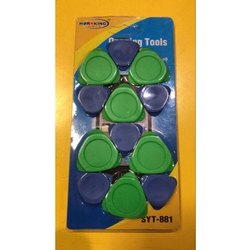
PVC Hornking SYT 881 Mobile Opening Tool,

PVC Hornking SYT 881 Mobile Opening Tool,
15 EL KALIFA, HAND TOOLS

PVC Hornking SYT 881 Mobile Opening Tool,

0 out of 5
(0)

Material PVC
Usage/Application Automobile Industry
Brand Hornking
Model Name/Number SYT 881
No. Of Pieces 12

SKU: 758413265
50,00 EGP
Add to cart
Add to wishlist
Compare

Shop

Showing 745–768 of 2178 results

←
of 91→
  • Accessories, DOCK STATION

    Dell K17A001 – WD15 Docking Station K17 K17A Thunderbolt USB-C 4K Dock

    Dell K17A001 – WD15 Docking Station K17 K17A Thunderbolt USB-C 4K Dock
    Accessories, DOCK STATION

    Dell K17A001 – WD15 Docking Station K17 K17A Thunderbolt USB-C 4K Dock

    0 out of 5
    (0)
    SKU: k17a0001
    1.200,00 EGP
    Add to cart
    Add to wishlist
    Compare
  • Accessories, Keyboard

    Dell KM217 Wireless Keyboard & Mouse

    Dell KM217 Wireless Keyboard & Mouse
    Accessories, Keyboard

    Dell KM217 Wireless Keyboard & Mouse

    0 out of 5
    (0)

    The Dell KM217 is a wireless keyboard and mouse combo designed for a seamless and efficient computing experience. Here’s a detailed description of the product:

    Key Features:

    1. Wireless Connectivity:

      • Range: Offers a wireless connection with a range of up to 10 meters, providing flexibility and reducing cable clutter.
      • Technology: Utilizes 2.4 GHz wireless technology for a stable and reliable connection.
    2. Keyboard:

      • Layout: Features a full-sized keyboard layout with all standard keys, including a number pad.
      • Design: Sleek and compact design with a low-profile key structure for a comfortable typing experience.
      • Function Keys: Includes function keys for quick access to media controls and other shortcuts.
    3. Mouse:

      • Design: Ergonomically designed for comfortable use, often featuring a contoured shape to fit the hand.
      • Buttons: Typically includes left and right buttons, along with a scroll wheel. Some models may offer additional programmable buttons.
      • Sensitivity: Adjustable DPI settings may be included to cater to different user preferences.
    4. Power Supply:

      • Batteries: Powered by AA batteries, providing a long-lasting battery life to minimize frequent replacements.
    5. Additional Features:

      • Plug-and-Play: Easy setup with a USB receiver that does not require additional software or drivers.
      • Compatibility: Generally compatible with major operating systems such as Windows and macOS.
    6. Build Quality and Finish:

      • Color: Often comes in a classic black or grey finish.
      • Durability: Built to be durable and withstand regular use in both home and office environments.

    The Dell KM217 is designed to offer a practical and user-friendly solution for those seeking a reliable wireless keyboard and mouse combo.

    SKU: 8887935016030
    425,00 EGP
    Add to cart
    Add to wishlist
    Compare
  • Accessories, Keyboard

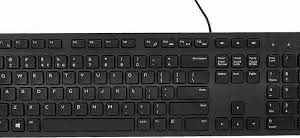
    Dell Multimedia Keyboard-KB216 – US International arabic , english – Black

    Dell Multimedia Keyboard-KB216 - US International arabic , english - Black
    Accessories, Keyboard

    Dell Multimedia Keyboard-KB216 – US International arabic , english – Black

    0 out of 5
    (0)
    SKU: 5397063704354 884116180456 A03 KB216-BK-US 5397063704415
    250,00 EGP
    Add to cart
    Add to wishlist
    Compare
  • DEVICE STORAGE, Internal Hard

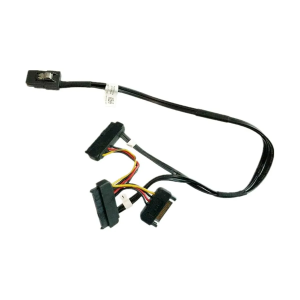
    Dell OEM PowerEdge T3600 SAS PERC 8 Raid Contriller Cable – T3F4V

    Dell OEM PowerEdge T3600 SAS PERC 8 Raid Contriller Cable - T3F4V
    DEVICE STORAGE, Internal Hard

    Dell OEM PowerEdge T3600 SAS PERC 8 Raid Contriller Cable – T3F4V

    0 out of 5
    (0)
    SKU: 656555454654
    200,00 EGP
    Read more
    Add to wishlist
    Compare
  • Accessories

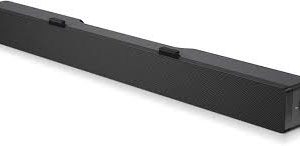
    Dell Stereo SoundBar- AC511M ORGINAL

    Dell Stereo SoundBar- AC511M ORGINAL
    Accessories

    Dell Stereo SoundBar- AC511M ORGINAL

    0 out of 5
    (0)
    Note: More detailed information can be found in the soundbar User Guides:

    • Dell AC511 User Guide
    • Dell AC511M User Guide

    The Dell AC511 and AC511M are soundbars that attach to certain Dell monitors. There are two variants of the AC511 soundbar:

    1. The Dell AC511 soundbar attaches to the bottom of certain Dell monitors (Figure 1).
      Dell AC511 Soundbar
      Figure 1
       
    2. The Dell AC511M soundbar attaches to the stand of certain Dell monitors with an included bracket (Figure 2).
      Dell AC511M Soundbar and Bracket
      Figure 2

    Back to Top


    Specifications

    The AC511 and AC511M soundbar technical information:

    Feature Description
    Dimensions (W x D x H)   16 in x 1.9 in x 1.5 in
    Controls Volume knob
    LEDs Power ON and OFF indicator
    Mounting AC511: At the bottom of the monitor
    AC511M: On the monitor stand with a bracket  
    Power Supply USB

    Back to Top


    Supported Displays

    The AC511 and AC511M soundbars can be installed on the following monitors:

    Speaker   Monitor Model
    AC511 E1914H, E2014H, E2214H, E2214Hv, E2314H
    E2414H, P1914S, P2014H, P2214H, P2314H, P2414H
    P2714H, U23.8, U2414H, UP2414HQ, U34, U3214HQ
    AC511M E1914H, E1914He, E1916H, E1916He, E1916HL, E1916HM, E1916HV, E2014H,
    E2014T, E2015HV, E2016, E2016H, E2016HV, E2214H, E2214Hv, E2215HV, E2216H,
    E2216HV, E2218HN, E2219HN, E2314H, E2316H, E2316Hr, E2318H, E2318HN,
    E2318HR, E2318HX, E2414H, E2414Hr, E2414Hx, E2417H, E2418HN, E2715H, P1914S
    P1917S, P1917SWh, P2014H, P2016, P2017H, P2018H, P2214H, P2217
    P2217H, P2217Wh, P2219H (with mount), P2219HC (with mount), P2314H, P2317H
    P2317HWh, P2319H (with mount), P2414H, P2415Q, P2416D, P2417H, P2418D
    P2418HZ, P2418HZm, P2419H (with mount), P2419HC (with mount), P2714H
    P2714T, P2715Q, P2717H, P2719H (with mount), P2719HC (with mount)
    S2719HS (with mount), U2414H, U2415, U2417HJ, U2419H (with mount), U2419HC (with mount)  
    U2515H, U2713H, U2715H, U2719D (with mount), U2719DC (with mount), U2917W
    U3219Q (with mount), UP2516D, UP2716D, UP2718Q, UP3017, UP3216Q, UZ2215H
    Note: If you have a monitor not on this list, you can check the monitor’s User Guide for compatibility with the soundbar.

    Back to Top


    Connecting the Soundbar

    AC511:
    The following instructions can be used to install the soundbar on a Dell compatible monitor.

    1. Gently peel off the slot covers at the bottom of the monitor (Figure 3).
      Dell Monitor Slot Cover
      Figure 3
       
    2. Align the hook on the soundbar to the slot at the bottom of the monitor (Figure 4).
      Attaching the Dell AC511 Soundbar to a Dell Monitor
      Figure 4
       
    3. Slide the soundbar to secure it on the monitor (Figure 5).
      Slide the Dell AC511 Soundbar to Attach to a Dell Monitor
      Figure 5
       
    4. Complete (Figure 6).
      Dell AC511 Soundbar Attached to a Dell Monitor
      Figure 6

    AC511M:
    The following instructions can be used to install the soundbar on a Dell compatible monitor.

    1. Pull the bracket’s clamp (Figure 7).
      Dell AC511M Soundbar and Bracket Attach Configuration
      Figure 7
      NOTE: Use the thick rubber cushion between the bracket and the non-swivel base monitor stand.
       
    2. Secure the bracket to the monitor stand (Figure 8).
      Dell AC511M Soundbar Attached
      Figure 8
       
    3. Push the bracket down to align it with the stand base.
       
    4. Align the tabs on the soundbar with the slots on the bracket. Slide the soundbar to the right to secure the soundbar to the bracket (Figure 9).
      Attaching Dell AC511M Soundbar to Included Bracket
      Figure 9

    Back to Top


    Troubleshooting

    The following can be used to troubleshoot various issues with the AC511 and AC511M soundbars.

    Symptom What You May Experience Possible Solution
    Soundbar not functioning properly Soundbar that is not detected or sync.
    • Once the USB cable is plugged into the USB power source, observe if the white LED light on the right of the soundbar lights up.
    • If the LED is not lit, check if the USB cable is bad. Replace the cable with a known good USB cable, or directly insert the soundbar USB cable into the USB power source.
    • If the LED lights up after replacing the USB cable or directly plugging the soundbar USB cable into the USB source. The first USB cable is defective.
    • If no light is seen, after replacing the USB cable or directly plugging in the soundbar USB cable. Then the soundbar is defective.
    • If a light is seen, and you still have a problem with the soundbar. Remove or unplug the soundbar from the system and restart the computer.
    • Plug the soundbar back in and check if the LED is lit.
    • If the soundbar fails to connect, check if the soundbar is present in Windows Device Manager.
    • Swap the USB soundbar to another USB port.
    • If the other USB port works, the first USB port maybe faulty.
    • If the other USB port does not work, go to the next step.
    • Test a known good USB speaker or device (keyboard or mouse) or try the problem soundbar on another computer.
    • If known good USB device is not working on the same port, or the original soundbar works properly on another computer. The other computer’s USB maybe defective.
    • If known good USB device works, or the soundbar does not work on another computer. Then the soundbar is defective.
    No Sound Speaker has power, and the power LED indicator is on.
    • Playing audio through USB, ensure that the audio file is playing from the computer and the volume level is not at 0%.
    • Playing audio through an external audio device such as MP3 player. Make sure that the audio line-in plug is properly connected.
    • Make sure that the external audio device volume is not at 0%.
    • Playing audio through USB, set all Windows volume controls to their maximum.
    • Play other audio content on the computer (CD, MP3, etc.)
    • Turn the volume to a higher level by rotating the soundbar volume knob clockwise.
    • Clean or reseat all audio cables.
    • Test the soundbar with a different audio source.
    • Go to the Windows Control Panel of the computer and click Sound. Try different audio ports. Reinstall the audio drivers. Restart the computer. Try with a known good speaker.
    Distorted Sound Computer’s audio is used as the audio source.
    • Clear any obstructions between the soundbar and yourself.
    • Confirm that the audio line-in cable plug is inserted into the audio port.
    • Set all volume controls to their midpoints.
    • Decrease the volume of the audio application.
    • Turn the volume level to a lower setting by rotating the soundbar knob counter clockwise.
    • Clean and reseat all audio cables.
    • Troubleshoot the computer’s sound card.
    • Test the soundbar by using another audio source.
    • Ensure that no loose objects are touching the speaker.
    Distorted Sound Other audio source is used.
    • Clear any obstructions between the soundbar and yourself.
    • Confirm that the USB cable or audio line-in plug is inserted into the audio port.
    • Decrease the volume of the audio source.
    • Turn the volume level to a lower setting by rotating the soundbar knob counter clockwise.
    • Clean and reseat the audio cables.
    • Turn the bass or wave setting lower.
    • Turn the “Wow Surround” setting lower.
    • Ensure that the soundbar is attached correctly to the monitor.
    • Ensure that no loose objects are touching the speaker.
    Unbalanced Sound Output Sound from only one side of the portable speaker.
    • Clear any obstructions between the soundbar and yourself.
    • Confirm that the audio line-in cable plug is inserted into the audio port of the soundbar or audio source.
    • Set all Windows audio balance controls (L-R) to their midpoints.
    • Clean and reseat all audio cables.
    • Troubleshoot the computer’s sound card.
    • Test the soundbar using another audio source.
    Low Volume Volume is too low.
    • Clear any obstructions between the soundbar and yourself.
    • Turn the volume to a higher level by rotating the knob clockwise.
    • Set all Windows volume controls to their maximum.
    • Increase the volume of the audio application.
    • Test the soundbar using another audio source.
    Buzzing Noise from Soundbar Speaker Is the soundbar speaker properly attached to the monitor and no obstruction?
    • Make sure that the soundbar is attached properly to the monitor and no loose objects are hanging or touching the soundbar.
    • Try reducing the volume to a low level by rotating the knob counterclockwise.
    • Make sure audio wires are not interfering with the soundbar.
    Line-in No Sound Is the audio line-in cable plugged in?
    • Ensure that the audio line-in cable plug is properly plugged into the soundbar line-in audio jack and on the line-out jack of the audio device.
    • Try using different or known good line-in cable.
    Line-in No Sound Is the external audio device turned on or playing audio?
    • Check if the audio device is turned on or playing audio.
    • Ensure that the audio device volume is not set to a 0% volume level.
    • Try testing with a known good audio device.
    Line-in Distortion Is the line-in cable properly plugged in?
    • Clear any obstructions between the soundbar and yourself.
    • Confirm that the audio line-in cable plug is inserted into the jack of the audio source.
    • Decrease the volume of the audio source.
    • Turn the volume level to a lower setting by rotating the soundbar knob counter clockwise.
    • Clean and reseat the audio cables.
    • Turn the bass or wave setting lower.
    • Turn the “Wow Surround” setting lower.
    • Ensure that the Soundbar speaker is properly attached on the monitor.
    • Ensure that no loose objects are touching the soundbar.
    Headphone Jack Has No Sound USB or external audio source not playing music or volume is at 0%.
    • Check if the audio player or external audio source is playing audio.
    • Check if the audio source and the soundbar volume are not set to 0%.
    Headphone Jack Distortion Is the headphone line-in cable properly plugged in?
    • Check if the headphone plug is properly inserted into the soundbar headphone jack.
    • Check if the headphone plug has a bad connection.
    • Check if the audio file is not distorted when playing without the headphone or using a known good headphone.
    Cable not long enough and extension cable cannot connect to soundbar USB cable USB extension cable
    • Check if the USB soundbar cable length is not enough to connect the soundbar to the USB port. Use the USB extension cable to connect the soundbar to the USB port.
    • Check the USB cable to see if it is damaged.
    Soundbar Cannot Mount To Monitor T-Hook
    • Check the T-Hook to see if it is missing.
    • Check if the T-Hook is damaged or broken.
    • Check if the monitor or soundbar slot is open and has no cover or obstruction.
    Missing Items Package check.
    • Open the box on top and check if the USB extension is present inside the package.
    • Check if all packaging literatures are present inside the package.

    If you have further questions about this article, contact Dell Technical Support.

    Back to Top


    More Information

    • Identify Speakers Emitting Unwanted Noise
    • How to Troubleshoot Audio or Sound Recording Issues
    • Dell Soundbars Cannot Be Installed on Dell Gaming Monitor Stand

    Back to Top

    SKU: 85464656464
    275,00 EGP
    Read more
    Add to wishlist
    Compare
  • Accessories, Keyboard

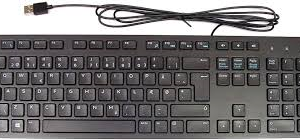
    Dell Wired Keyboard – Black KB216 (580-ADMT) USD

    Dell Wired Keyboard - Black KB216 (580-ADMT) USD
    Accessories, Keyboard

    Dell Wired Keyboard – Black KB216 (580-ADMT) USD

    0 out of 5
    (0)
    SKU: CN04G4817161639H0F3XA00 1000000000653
    120,00 EGP
    Add to cart
    Add to wishlist
    Compare
  • Accessories, Mouse

    DELL WIRELESS MOUSE x310

    DELL WIRELESS MOUSE x310
    Accessories, Mouse

    DELL WIRELESS MOUSE x310

    0 out of 5
    (0)

    Dell Wireless Mouse X310 – Seamless Connectivity and Ergonomic Comfort

    Upgrade your computing experience with the Dell Wireless Mouse X310, designed to deliver reliable performance and exceptional comfort. This wireless mouse combines advanced technology with a sleek design, making it an excellent choice for both work and casual use.

    Key Features:

    • Reliable Wireless Connectivity:

      • The Dell X310 features a 2.4 GHz wireless connection that ensures a stable and interference-free link to your computer. Enjoy the freedom of movement without the clutter of cables, with a range of up to 10 meters for flexible use.
    • High-Precision Optical Sensor:

      • Equipped with an optical sensor, the X310 offers smooth and accurate tracking on various surfaces. The sensor delivers precise cursor control, making it ideal for everyday tasks such as browsing, document editing, and more.
    • Ergonomic Design:

      • The X310 is designed with user comfort in mind. Its ergonomic shape fits comfortably in your hand, reducing strain and enhancing grip during extended use. The design supports a natural hand position, making it suitable for prolonged computing sessions.
    • Compact and Portable:

      • With its sleek and compact design, the X310 is easy to carry and perfect for on-the-go use. The mouse’s slim profile makes it a convenient option for travel and mobile work setups.
    • Long Battery Life:

      • Powered by a single AA battery, the X310 provides extended use with minimal power consumption. Enjoy long-lasting performance without frequent battery changes, thanks to its energy-efficient design.
    • User-Friendly Setup:

      • The plug-and-play functionality allows for quick and easy setup. Simply insert the USB receiver into your computer’s USB port, and the mouse is ready to use immediately without the need for additional drivers or software.
    • Durable Construction:

      • Built with high-quality materials, the X310 is designed to withstand daily use. Its robust construction ensures long-term reliability and performance.

    Benefits:

    • Stable Wireless Performance:

      • The 2.4 GHz wireless connection provides a reliable and interference-free experience, allowing for a clean and organized workspace.
    • Precise Tracking:

      • The optical sensor offers accurate and smooth cursor movement, enhancing productivity and control for various tasks.
    • Comfort and Ergonomics:

      • The ergonomic design supports a comfortable grip and reduces hand fatigue, making it suitable for extended periods of use.
    • Portability:

      • The compact design makes the X310 easy to transport, perfect for mobile professionals and frequent travelers.
    • Efficient Power Use:

      • The long battery life reduces the need for frequent replacements, offering convenience and reliability.
    • Easy Setup:

      • The simple plug-and-play functionality ensures quick and hassle-free installation, so you can start using the mouse right away.

    The Dell Wireless Mouse X310 combines reliable wireless connectivity, ergonomic comfort, and user-friendly features in a sleek and stylish package. Whether for work or casual use, this mouse is designed to enhance your computing experience with seamless performance and exceptional comfort.

    SKU: AITNT20200719
    110,00 EGP
    Add to cart
    Add to wishlist
    Compare
  • Accessories, Mouse

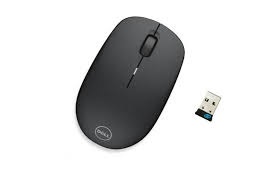
    Dell Wm 126 Wireless USB Mouse With LED Light DPI Control For PC And Laptop – Black

    Dell Wm 126 Wireless USB Mouse With LED Light DPI Control For PC And Laptop - Black
    Accessories, Mouse

    Dell Wm 126 Wireless USB Mouse With LED Light DPI Control For PC And Laptop – Black

    0 out of 5
    (0)
    Brand Name Dell
    Color Black
    Connectivity Technology USB
    Special Features Wireless
    Movement Detection Optical
    Hand Orientation Ambidextrous
    Compatible Devices Laptop, Personal Computer
    Item Weight 100 Grams
    Operating System Linux, Windows 7
    Style Modern
    SKU: 1000000003301
    0,00 EGP
    Read more
    Add to wishlist
    Compare
  • Accessories, Extension

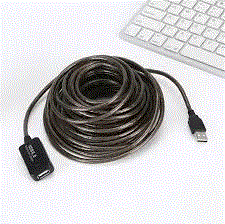
    Delock Cable USB 2.0 Extension, active 15 m

    Delock Cable USB 2.0 Extension, active 15 m
    Accessories, Extension

    Delock Cable USB 2.0 Extension, active 15 m

    0 out of 5
    (0)

    This USB 2.0 cable by Delock can be connected to an active USB port and enables an extension of 15 m. By connecting of an additional 15 m extension cable you can extend your USB port . The higher cable gauge for power and data line ensures even at this length, a safe connection for your devices.


    Technical details


    • Connectors:
      1 x USB 2.0 Type-A male >
      1 x USB 2.0 Type-A female
    • Chipset: FE 1.1
    • Data transfer rate up to 480 Mbps
    • For connection to an active USB port
    • Cable gauge:
      26 AWG data line
      22 AWG power line
    • Extension up to 2 x 15 m cables
    • Connectors: gold-plated
    • Power: up to max. 500 mA
    • Cable length: ca. 15 m


    System requirements


    • Linux Kernel 3.2 or above
    • Mac OS 10.9 or above
    • Windows Vista/Vista-64/7/7-64/8.1/8.1-64/10/10-64/11
    • PC or laptop with a free active USB Type-A port


    Package content


    • USB 2.0 extension cable 15 m


    SKU: g6ur6u766tgghw15
    325,00 EGP
    Add to cart
    Add to wishlist
    Compare
  • 15 EL KALIFA, adapter, CHARGER, CHARGER & ADAPTER

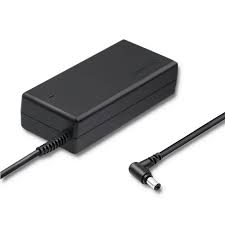
    delta electronics inc 19v 3.95a

    delta electronics inc 19v 3.95a
    15 EL KALIFA, adapter, CHARGER, CHARGER & ADAPTER

    delta electronics inc 19v 3.95a

    0 out of 5
    (0)
    Color Black
    Input Voltage 240 Volts
    Wattage 65 watts
    Specification Met CE
    Output Voltage 19 Volts
    Power Source Corded Electric
    Item Weight 8.8 Ounces
    SKU: 1000000003842
    Read more
    Add to wishlist
    Compare
  • 15 EL KALIFA, CHARGER & ADAPTER

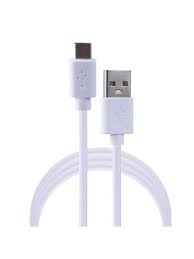
    denmen charging

    denmen charging
    15 EL KALIFA, CHARGER & ADAPTER

    denmen charging

    0 out of 5
    (0)

    Brand Name Generic
    Connector Type USB Type C
    Cable Type USB
    Compatible Devices Smartphone
    Special Features Braided
    Compatible Phone Models
    Color white
    Connector Gender Male-to-Male
    Item Shape Round
    Connectivity Technology USB

    SKU: 6973224870053
    Read more
    Add to wishlist
    Compare
  • TOOLS

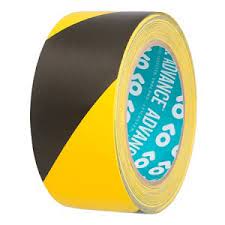
    design to resist blanc 50mm x 33m

    design to resist blanc 50mm x 33m
    TOOLS

    design to resist blanc 50mm x 33m

    0 out of 5
    (0)

    Features:
    Marking and delineation Definitive marking
    Appearance: Matte; PVC type
    Color: Black / Yellow
    Width: 50 (or 48) mm
    Writable surface: Possible
    Type of use: Dance floor; Marking; Signage; Repair; Single sided
    Tape thickness: 140 µm
    Length: 33 m
    Adhesion to steel: 3.5 N/cm²
    Adhesion to itself: 2.5 N/cm²
    Extension: 150%
    Storage condition: 12 months storage at room temperature (10-30°C), protected from light and moisture to maintain optimum performance.
    Storage duration: 12 months
    Nature of adhesive mass: Solvent-based rubber resin
    Mechanical resistance: 26 N/cm²
    Temperature resistance: 0°C to +60°C
    Weight (net): 0.3200 kg

    SKU: 3663972009203
    0,00 EGP
    Read more
    Add to wishlist
    Compare
  • Measuring and testing equipment, TOOLS

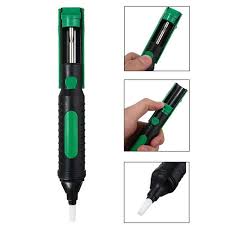
    Desoldering Pump CJ-101

    Desoldering Pump CJ-101
    Measuring and testing equipment, TOOLS

    Desoldering Pump CJ-101

    0 out of 5
    (0)
    SKU: 4710810400520
    65,00 EGP
    Add to cart
    Add to wishlist
    Compare
  • HAND TOOLS, TOOLS

    Diameter of cutter tool THT5118159

    Diameter of cutter tool THT5118159
    HAND TOOLS, TOOLS

    Diameter of cutter tool THT5118159

    0 out of 5
    (0)

    Tractor plastic cutter
    Package dimensions: 10 x 5 x 5 cm; 540 Grams

    SKU: 6941639857808
    60,00 EGP
    Add to cart
    Add to wishlist
    Compare
  • 15 EL KALIFA, Measuring and testing equipment

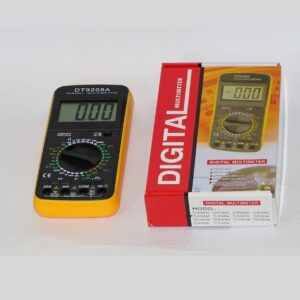
    Digital Multimeter DT9205A

    Digital Multimeter DT9205A
    15 EL KALIFA, Measuring and testing equipment

    Digital Multimeter DT9205A

    0 out of 5
    (0)
    Brand Name EX-L
    Power Source Battery Powered
    Color multi
    Item Weight 0.28 Kilograms
    Measurement Type Multimeter
    Maximum Operating Voltage 700 Volts
    SKU: 787867689
    320,00 EGP
    Add to cart
    Add to wishlist
    Compare
  • Accessories, Fiber optic cable

    Digital Toslink Audio Optical Fiber Male to Male Audio Cable (1M)

    Digital Toslink Audio Optical Fiber Male to Male Audio Cable (1M)
    Accessories, Fiber optic cable

    Digital Toslink Audio Optical Fiber Male to Male Audio Cable (1M)

    0 out of 5
    (0)
    SKU: 154654600051440
    120,00 EGP
    Add to cart
    Add to wishlist
    Compare
  • HOME TECHNOLOGY

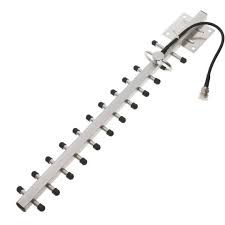
    directional yagi antenna 14035a

    directional yagi antenna 14035a
    HOME TECHNOLOGY

    directional yagi antenna 14035a

    0 out of 5
    (0)
    SKU: sl14035a
    600,00 EGP
    Add to cart
    Add to wishlist
    Compare
  • Accessories, MONITOR CABLE

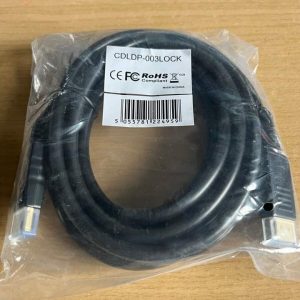
    Display Port Cable – 3m Displayport DP Monitor Lead Male to Male Mac PC Laptop.
    Display Port Cable – 3m Displayport DP Monitor Lead Male to Male Mac PC Laptop.
    Accessories, MONITOR CABLE

    Display Port Cable – 3m Displayport DP Monitor Lead Male to Male Mac PC Laptop.

    0 out of 5
    (0)

    Connector type DisplayPort Cable type Display Port Compatible devices Projector, Television Special feature Tangle Free Recommended uses for product Indoor


    Rhinocables Male to Male DP gold flashed locking connectors to reduce disconnection due to cable strain. Length: DisplayPort 21.6Gbps (HBR2), 3m  Lengths: support 1080p@60Hz onlyDisplayPort is very simple to use and makes connecting your PC to your DisplayPort enabled display very easy.Fully shielded cables, 30 AWGTransmits UHD audio and video from your computer to a monitor for video streaming or gaming; Connect and configure your monitor for an Extended Desktop or Mirrored Displays

    SKU: 1000000005314
    150,00 EGP
    Add to cart
    Add to wishlist
    Compare
  • Accessories, MONITOR CABLE

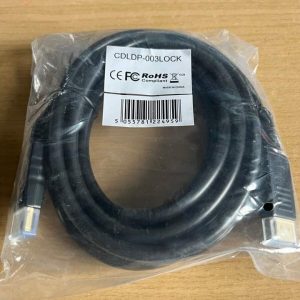
    Display Port Cable – 5m Displayport DP Monitor Lead Male to Male Mac PC Laptop.
    Display Port Cable – 5m Displayport DP Monitor Lead Male to Male Mac PC Laptop.
    Accessories, MONITOR CABLE

    Display Port Cable – 5m Displayport DP Monitor Lead Male to Male Mac PC Laptop.

    0 out of 5
    (0)

    Connector type DisplayPort Cable type Display Port Compatible devices Projector, Television Special feature Tangle Free Recommended uses for product Indoor

    Rhinocables Male to Male DP gold flashed locking connectors to reduce disconnection due to cable strain. Length: DisplayPort 21.6Gbps (HBR2), 5m  Lengths: support 1080p@60Hz onlyDisplayPort is very simple to use and makes connecting your PC to your DisplayPort enabled display very easy.Fully shielded cables, 30 AWGTransmits UHD audio and video from your computer to a monitor for video streaming or gaming; Connect and configure your monitor for an Extended Desktop or Mirrored Displays

    SKU: 1000000005315
    200,00 EGP
    Add to cart
    Add to wishlist
    Compare
  • Accessories, MONITOR CABLE

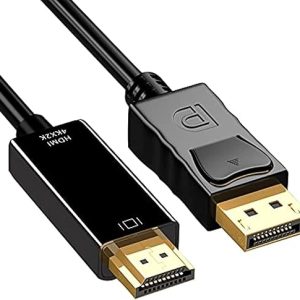
    Display Port To HDMI Cable 1.8M

    Display Port To HDMI Cable 1.8M
    Accessories, MONITOR CABLE

    Display Port To HDMI Cable 1.8M

    0 out of 5
    (0)
    SKU: 6223011414510
    85,00 EGP
    Add to cart
    Add to wishlist
    Compare
  • Accessories, MONITOR CABLE

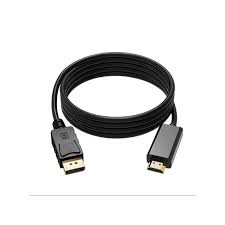
    Display Port To HDMI Cable 3m 4k

    Display Port To HDMI Cable 3m 4k
    Accessories, MONITOR CABLE

    Display Port To HDMI Cable 3m 4k

    0 out of 5
    (0)
    SKU: 25344754 1000000003808
    175,00 EGP
    Add to cart
    Add to wishlist
    Compare
  • Accessories, DisplayPort, MONITOR CABLE

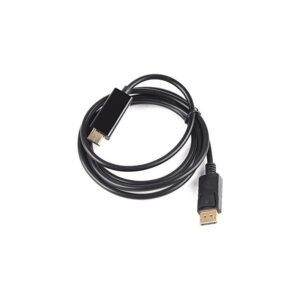
    Display Port To HDMI Cable 4k 1.8M

    Display Port To HDMI Cable 4k 1.8M
    Accessories, DisplayPort, MONITOR CABLE

    Display Port To HDMI Cable 4k 1.8M

    0 out of 5
    (0)
    • Portable Display to HDMI adapter connects a desktop or laptop with Display port (DP, DP++, DisplayPort++) to an HDTV, monitor, display or projector with HDMI input.
    • INCREDIBLE PERFORMANCE-Transmits high-definition audio and video from your computer to an HDTV for video streaming or gaming.
    • Supports video resolutions up to 1920×1200 / 1080P (Full HD) and uncompressed digital 7.1, 5.1 or 2 audio channels.
    • BROAD COMPATIBILITY-Compatible with DisplayPort equipped computer, pc, notebook, Ultrabook, HP, Lenovo, Dell, ASUS, NVIDIA, AMD and other brands;
    • SAFE&RELIABLE-DisplayPort connector with latches provides a secure connection with a release button that must be depressed before unplugging
    SKU: 1000000000666
    0,00 EGP
    Read more
    Add to wishlist
    Compare
  • Accessories

    Display port to vga converter – black

    Display port to vga converter - black
    Accessories

    Display port to vga converter – black

    0 out of 5
    (0)
    SKU: 10000000011200
    70,00 EGP
    Add to cart
    Add to wishlist
    Compare
  • Accessories, CONVERTER MONITOR

    Display To HDMI Adapter Converter Cable Male To Female Port 1080P

    Display To HDMI Adapter Converter Cable Male To Female Port 1080P
    Accessories, CONVERTER MONITOR

    Display To HDMI Adapter Converter Cable Male To Female Port 1080P

    0 out of 5
    (0)
    • Portable 2-Pack Display to HDMI adapter connects a desktop or laptop with DisplayPort (DP, DP++, DisplayPort++) to an HDTV, monitor, display or projector with HDMI input; An HDMI cable (sold separately) is required.
    • INCREDIBLE PERFORMANCE-Transmits high-definition audio and video from your computer to an HDTV for video streaming or gaming; Supports video resolutions up to 1920×1200 / 1080P (Full HD) and uncompressed digital 7.1, 5.1 or 2 audio channels.
    • BROAD COMPATIBILITY-Compatible with DisplayPort equipped computer, pc, notebook, Ultrabook, HP, Lenovo, Dell, ASUS, NVIDIA, AMD and other brands;
    • SAFE&RELIABLE-DisplayPort connector with latches provides a secure connection with a release button that must be depressed before unplugging
    SKU: 4574567441
    65,00 EGP
    Add to cart
    Add to wishlist
    Compare

Showing 745–768 of 2178 results

  • ←
  • 1

  • …
  • 30
  • 31
  • 32
  • 33
  • 34
  • …
  • 91
  • →

Brands Carousel

A4 tech

A4 tech

A4 tech

A4 tech

airlive

airlive

airlive

airlive

Akai

Akai

Akai

Akai

al-adl.tec

al-adl.tec

al-adl.tec

al-adl.tec

al-adl.tec

al-adl.tec

Anycast

Anycast

Anycast

Anycast

Asus

Asus

Asus

Asus

AULA

AULA

AULA

AULA

AVOVE

AVOVE

AVOVE

AVOVE

BenQ

BenQ

BenQ

BenQ

camelion

camelion

camelion

camelion

Crucial

Crucial

Crucial

Crucial

D-link

D-link

D-link

D-link

domsem

domsem

domsem

domsem

DURACELL

DURACELL

DURACELL

DURACELL

eladl

eladl

eladl

eladl

enegizer

enegizer

enegizer

enegizer

FORA

FORA

FORA

FORA

FORA

FORA

FSP

FSP

FSP

FSP

genius

genius

genius

genius

GIGAMAX

GIGAMAX

GIGAMAX

GIGAMAX

Gp battary

Gp battary

Gp battary

Gp battary

HP

HP

HP

HP

incgo

incgo

incgo

incgo

JAKEMY

JAKEMY

JAKEMY

JAKEMY

Featured Products

  • COOLER PROCESSOR HF 190 COOLER PROCESSOR HF 190 30,00 EGP
  • PVC Hornking SYT 881 Mobile Opening Tool, PVC Hornking SYT 881 Mobile Opening Tool, 50,00 EGP

Top Rated Products

  • Placeholder optical mouse utopia we-3 wired mouse 75,00 EGP
  • mtm120mm AC 115V Ball Bearing Fan 110V for DIY Cooling Ventilation Exhaust Projects mtm120mm AC 115V Ball Bearing Fan 110V for DIY Cooling Ventilation Exhaust Projects 130,00 EGP
  • (Benq CD-R 52 X )50 CD With Cover (Benq CD-R 52 X )50 CD With Cover 425,00 EGP
Sign up to Newsletter
...and receive $20 coupon for first shopping
Alasad Store
We are always ready to help you 01005440540 -01100495969
Address
Egypt, Cairo
15 St Al-Khalifa El Maamoun Masr El Gadida

Customer Care

  • Store Address
  • Store Directory

YOUR ACCOUNT

  • Login
  • Orders
  • Track Your Order
  • Account details

My Account

  • Login
  • Orders
  • Track Your Order
  • Account details

Customer Care

  • Store Address
  • Store Directory

PRODUCTS

  • AlasadStore
  • Elementor #29080
  • Privacy Policy
  • Refund and Returns Policy
  • Compare
  • ERP Subscription
  • Home v1 – English
Alasad Store
We are always ready to help you 01005440540 -01100495969

WhatsApp us