
-
×
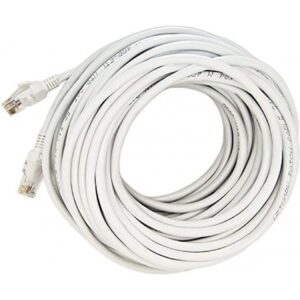 cable network cat 6 10m
1 × 75,00 EGP
cable network cat 6 10m
1 × 75,00 EGP -
×
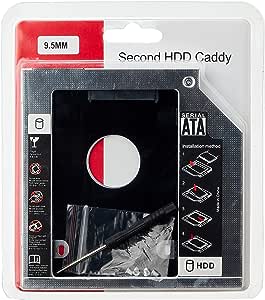 Hard Drive Caddy 9.5mm
1 × 55,00 EGP
Hard Drive Caddy 9.5mm
1 × 55,00 EGP
Subtotal: 130,00 EGP
1 in stock
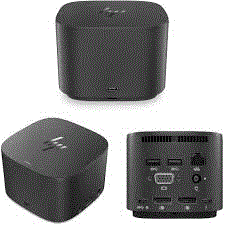
Connectivity Ports:
Design and Build:
Power Delivery:
1.250,00 EGP
1 in stock
CompareConnectivity Ports:
Design and Build:
Power Delivery:
Optical Mouse Utopia WE-1 (Wired Mouse)
The Optical Mouse Utopia WE-1 is a wired mouse known for its reliability and performance in various computing tasks. Here’s an overview of what you can expect from this mouse:
Sensor Type: It likely features an optical sensor for precise tracking. This means it doesn’t require a special mouse pad, although using one might still improve accuracy.
Connectivity: Being wired, it should offer a stable and consistent connection without the need for batteries or dealing with wireless interference.
Design: The design may include features like ergonomic grips, customizable buttons, or DPI (dots per inch) settings to adjust sensitivity according to your needs.
Durability: Wired mice are often known for their durability due to having fewer components that can fail compared to wireless counterparts.
Compatibility: It should work with a range of operating systems, but it’s always good to check if drivers or software are needed for full functionality.

 |
 |
 |
|---|---|---|
|
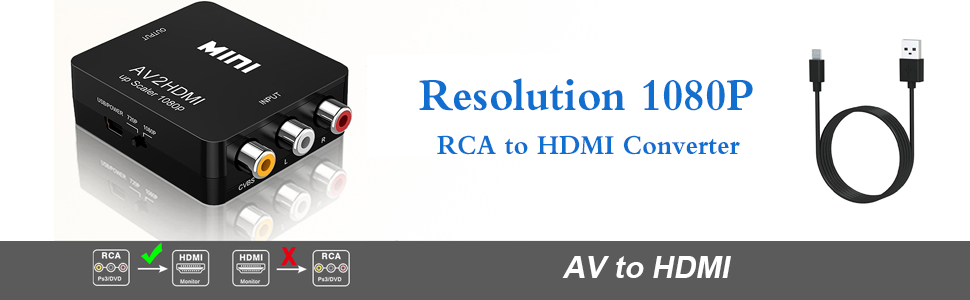
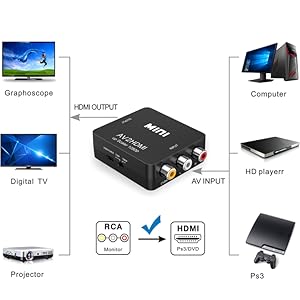
USB POWER SUPPLY Package include: 1xAV to HDMI Converter 1xUSB Power Cable 1xUser Manual
|
AV To HDMI Converter SUPPORT HDMI 1080P or 720P OUTPUT 1. Input ports: 1xRCA (Yellow, White, Red) 2. Output ports: 1xHDMI(standard) 3. NTSC/PAL compatible 4. Composite input: PAL, NTSC3.58, NTSC4.43, SECAM, PAL/M, PAL/N 5. HDMI output: 1080p/60Hz, 720p/60Hz
|
PLUG AND PLAY Supports all old TV or Monitor with HDMI interface. Old TV cam also enjoy high-definition video quality. No need to install drivers, portable, flexible, plug and play.
|
Too See More HDMI supplies click here Visit Alasad Store Face book click here







































There are no reviews yet.